Web Interface

Access SpoolBuddy from any device with a web browser. The responsive interface works on desktop, tablet, and mobile.

Dashboard

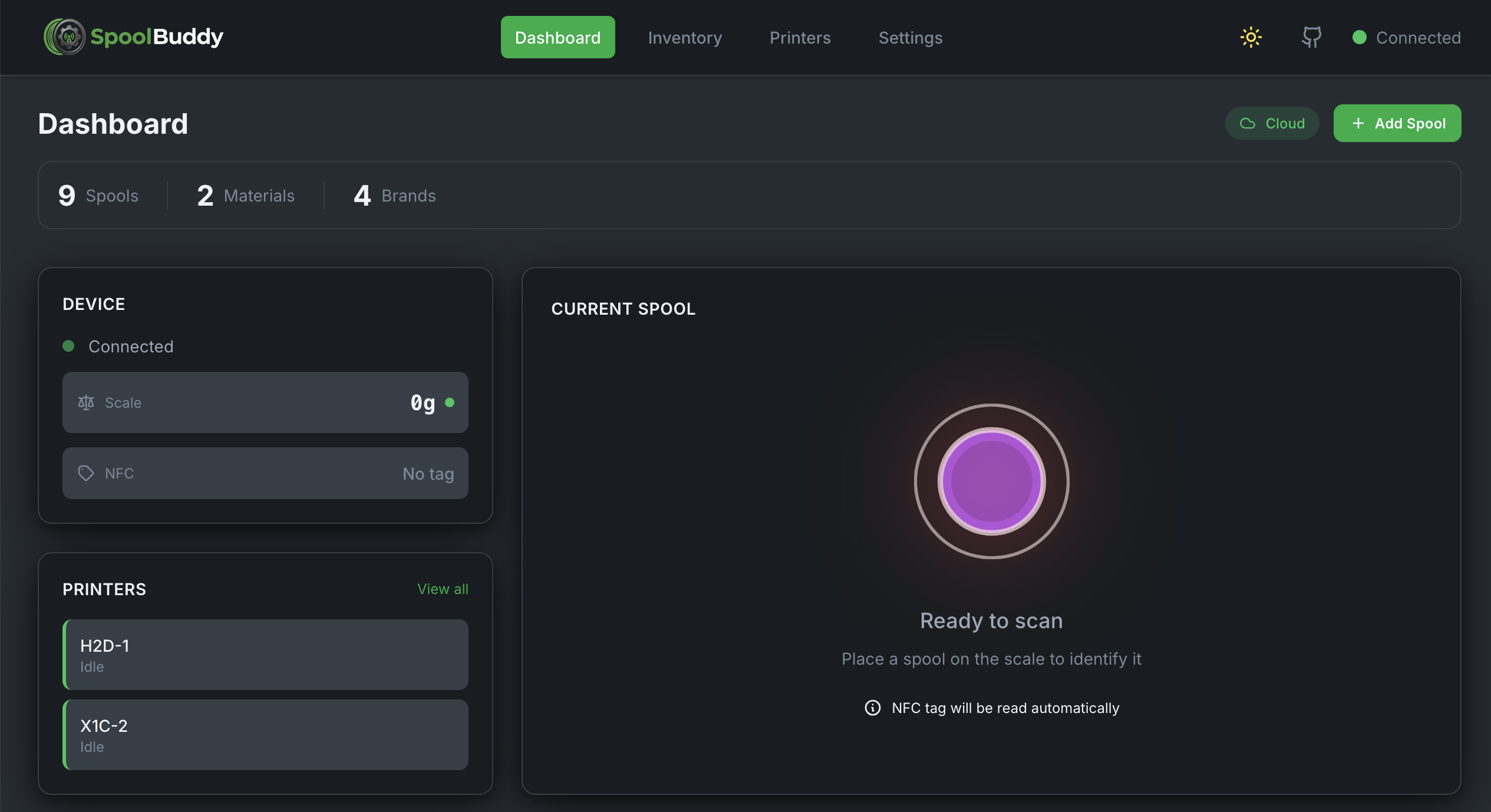
Get a quick overview of your filament inventory, connected printers, and current spool on the scale. The dashboard shows device status, real-time weight readings, and allows quick actions.

  • Real-time spool detection on scale
  • Quick stats: total spools, materials, brands
  • Device connection status
  • Quick link to assign spool to AMS
SpoolBuddy Dashboard

Spool Inventory

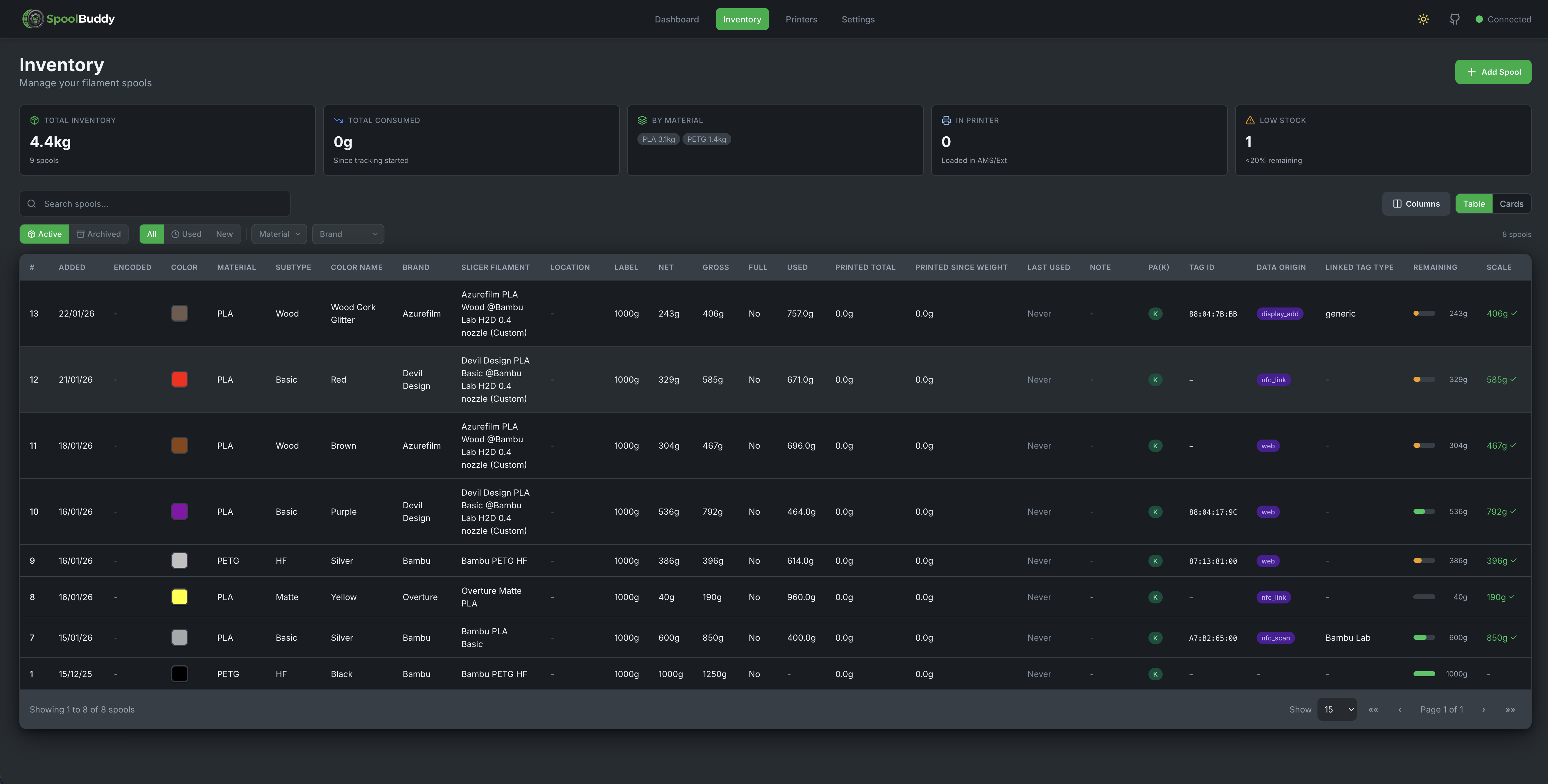
Complete filament catalog with powerful filtering and search. Track all your spools with details like material, color, brand, weight, and usage history.

  • Filter by material (PLA, PETG, ABS, etc.)
  • Color-coded spool cards
  • Remaining weight tracking
  • Archive empty spools
Spool Inventory

Printers & AMS Management

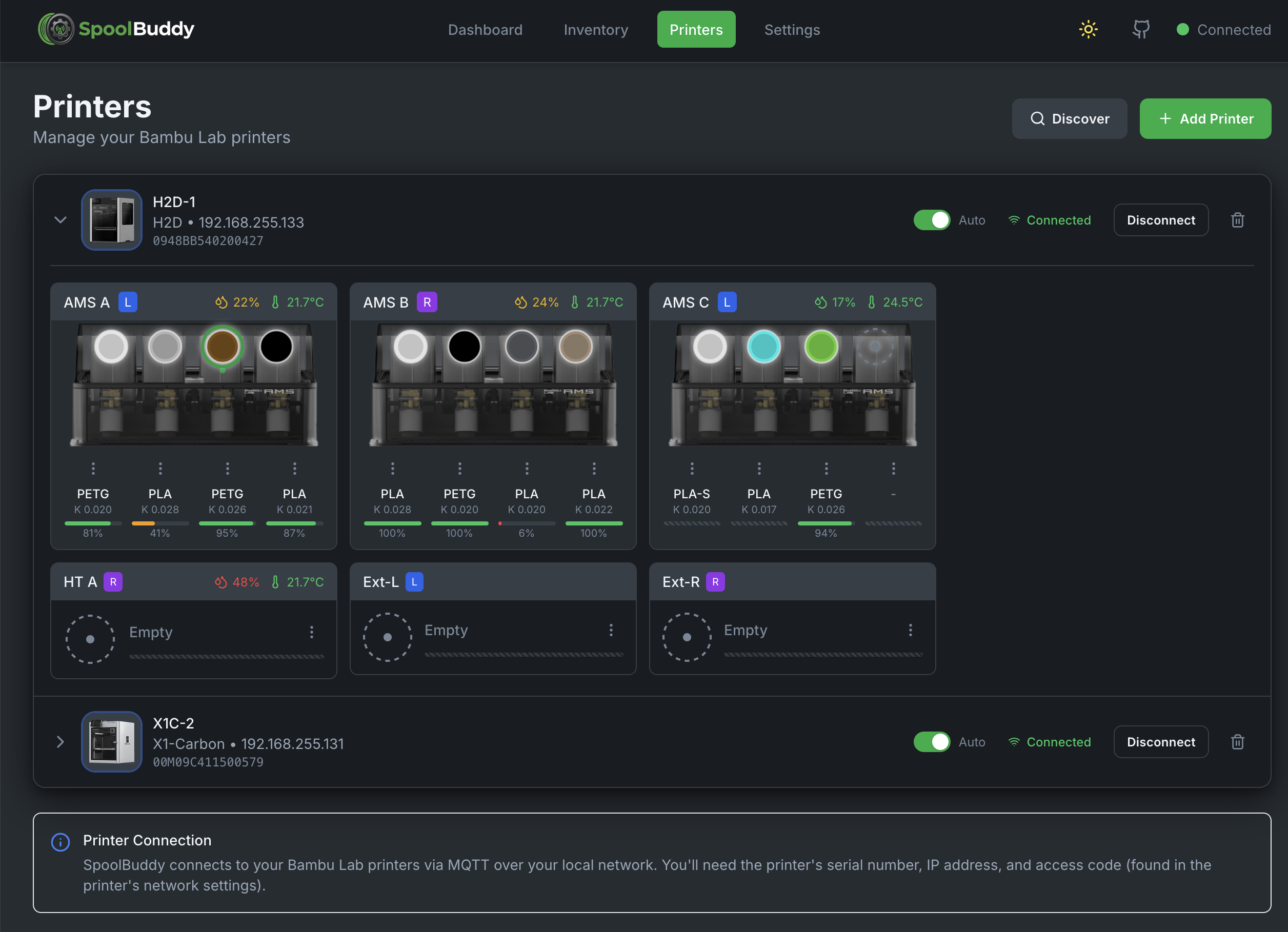
Connect multiple Bambu Lab printers and view all AMS units at a glance. See what's loaded, humidity levels, and remaining filament.

  • Multi-printer support
  • Visual AMS slot overview
  • Humidity & temperature display
  • Active slot highlighting
Printers and AMS Overview

AMS Slot Configuration

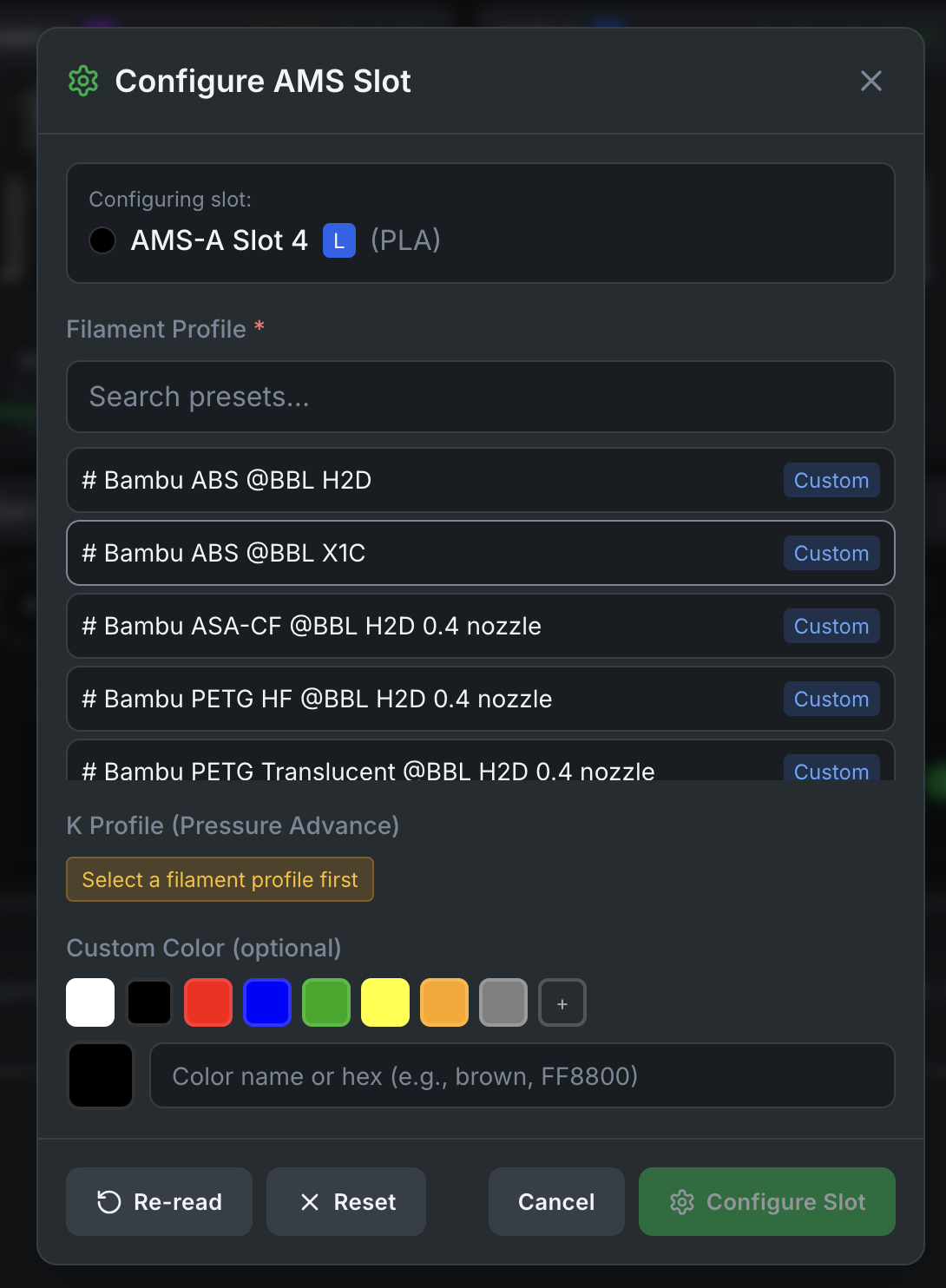
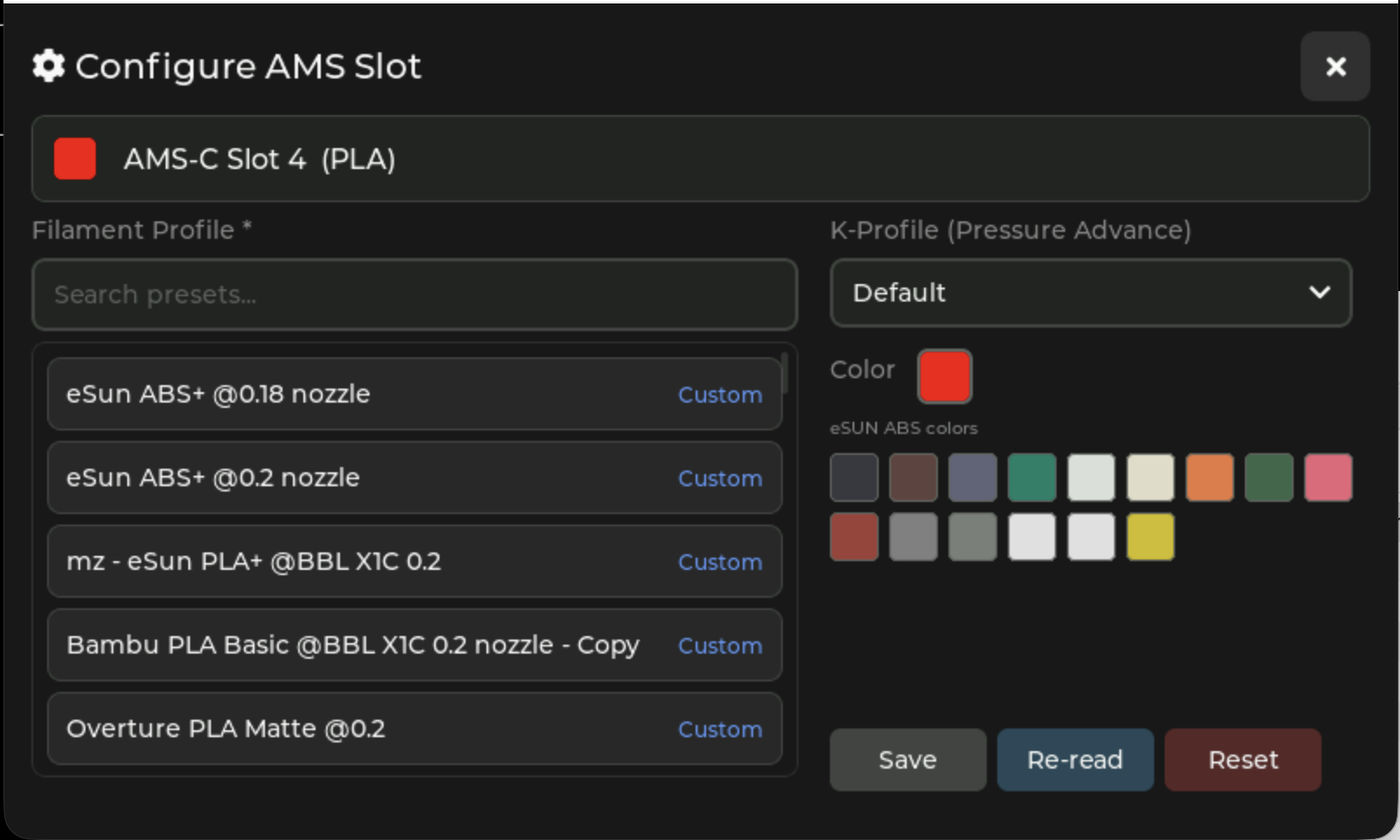
Configure individual AMS slots with filament presets from Bambu Cloud. Set material type, color, and K-factor calibration values directly.

  • Bambu Cloud filament presets
  • K-factor profile selection
  • Color picker for custom colors
  • Reset slot to empty
Configure AMS Slot

Settings & Configuration

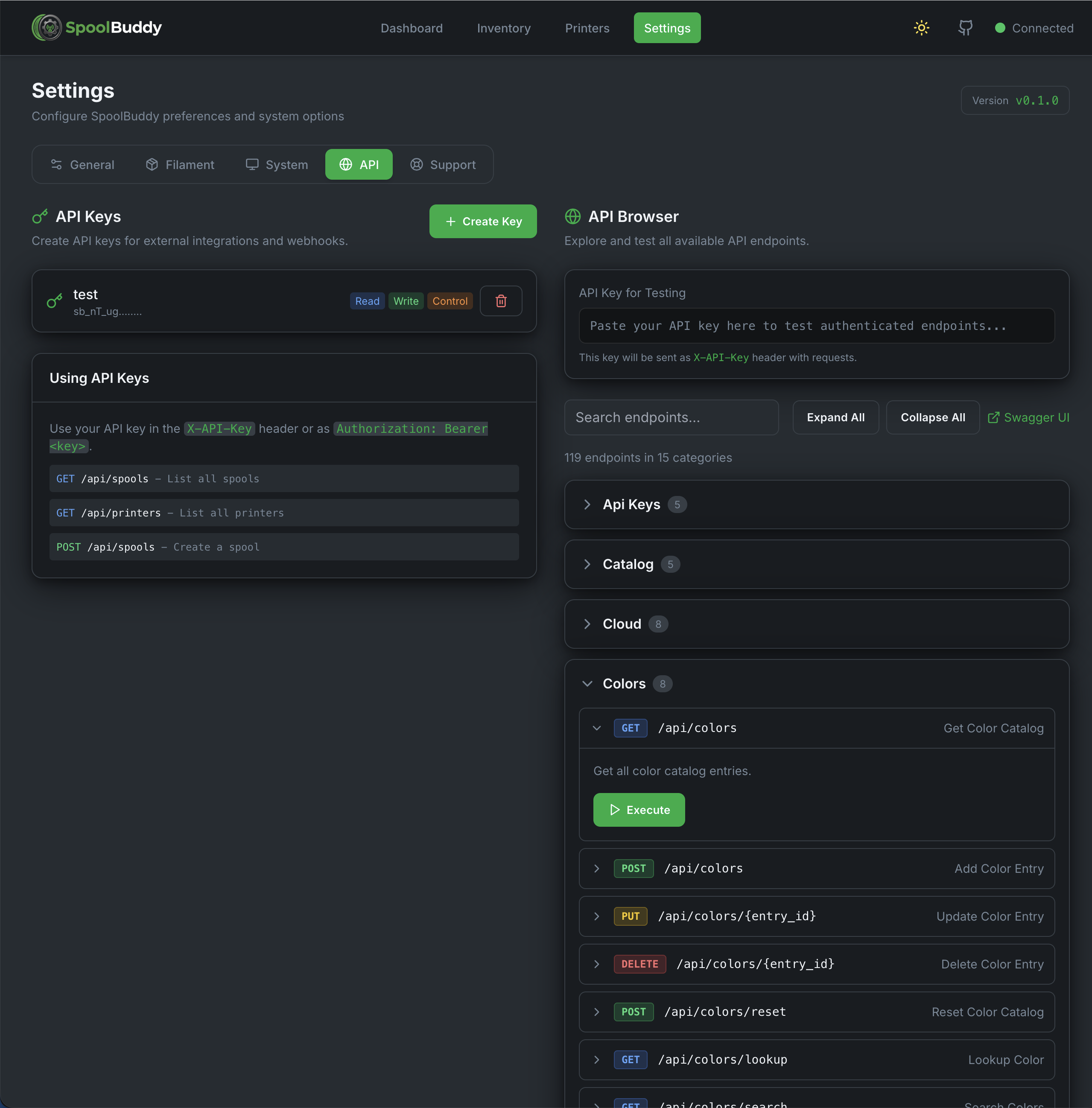
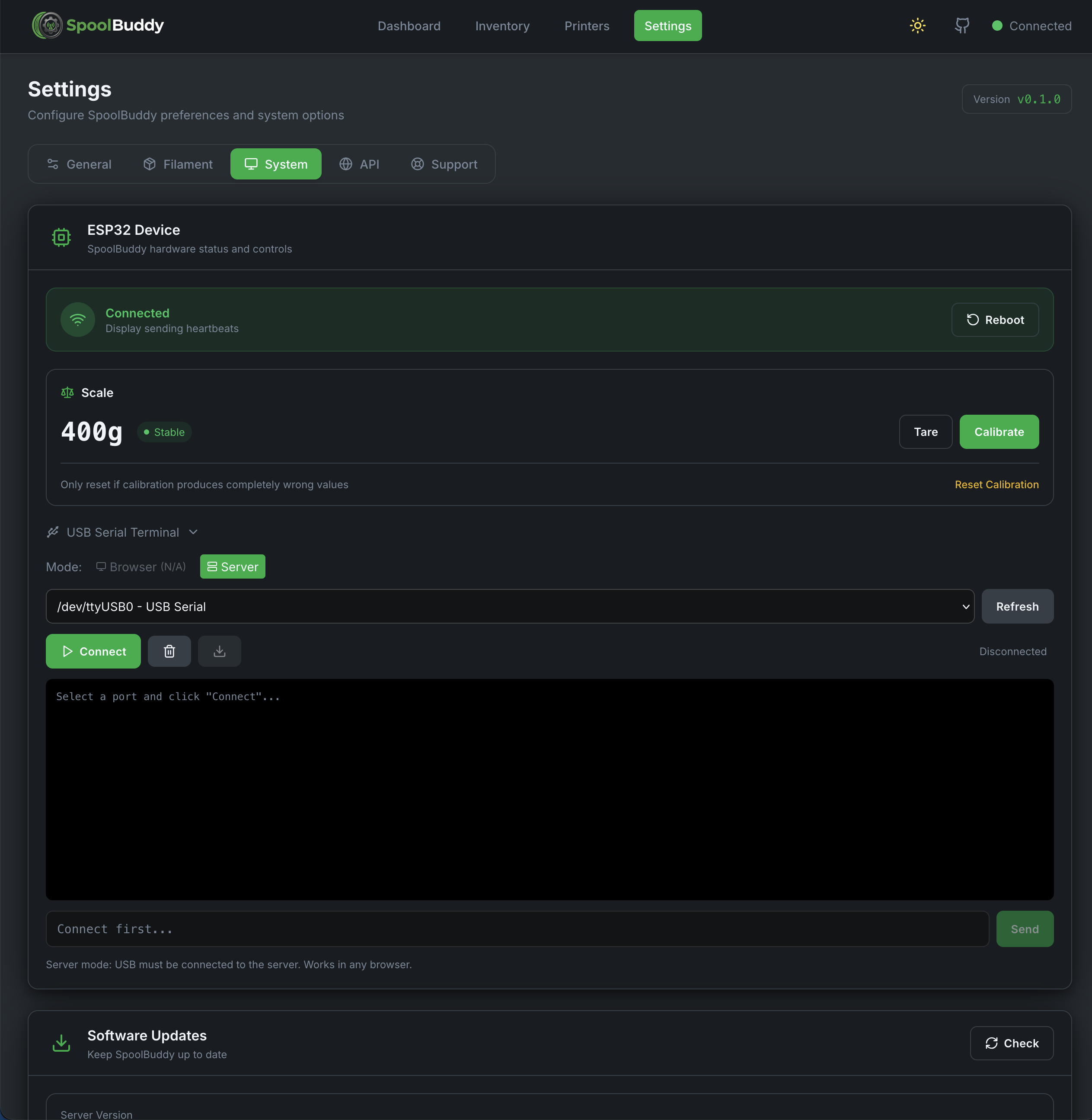
Comprehensive settings for system configuration, Bambu Cloud login, API keys, firmware updates, and more.
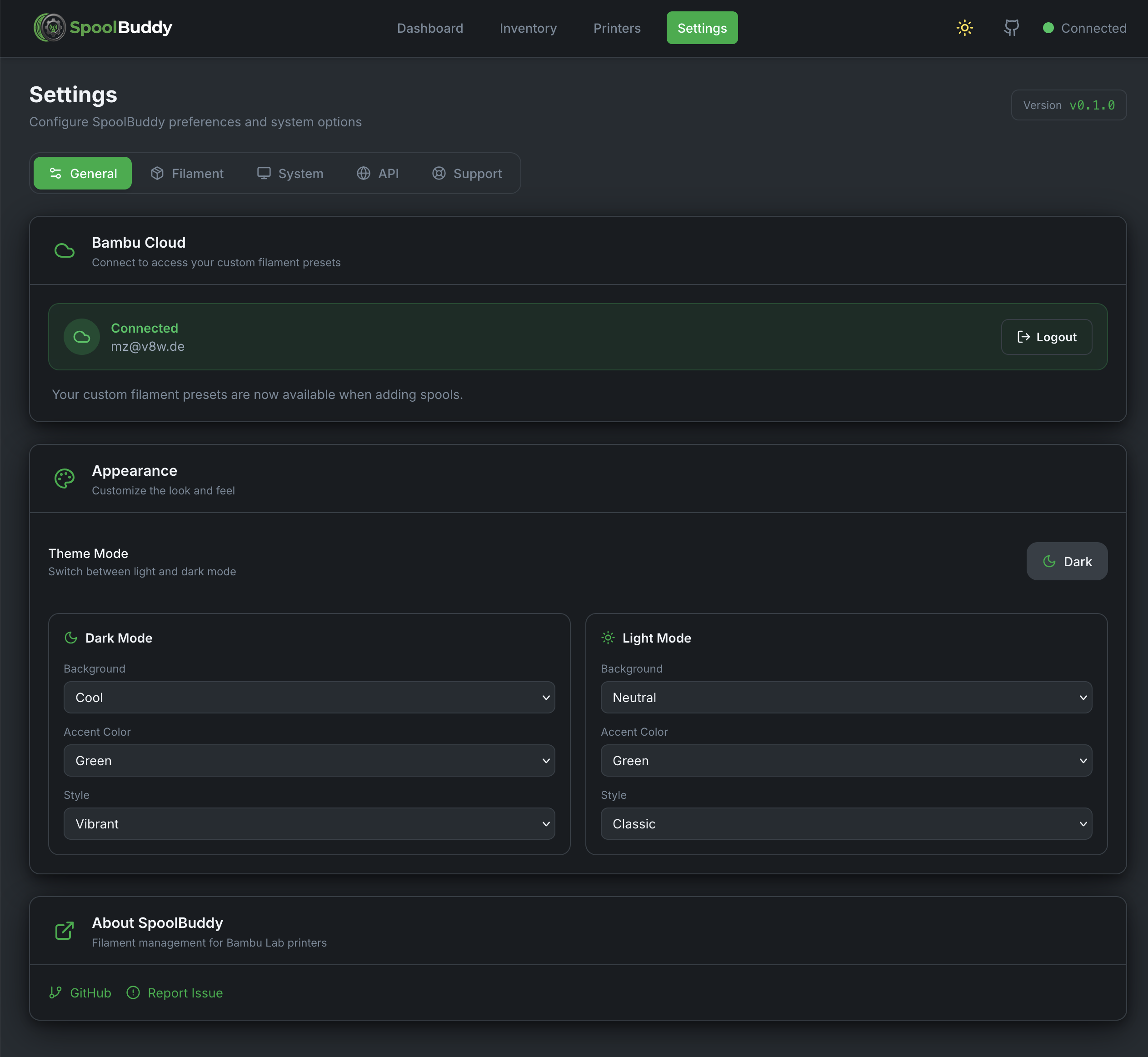
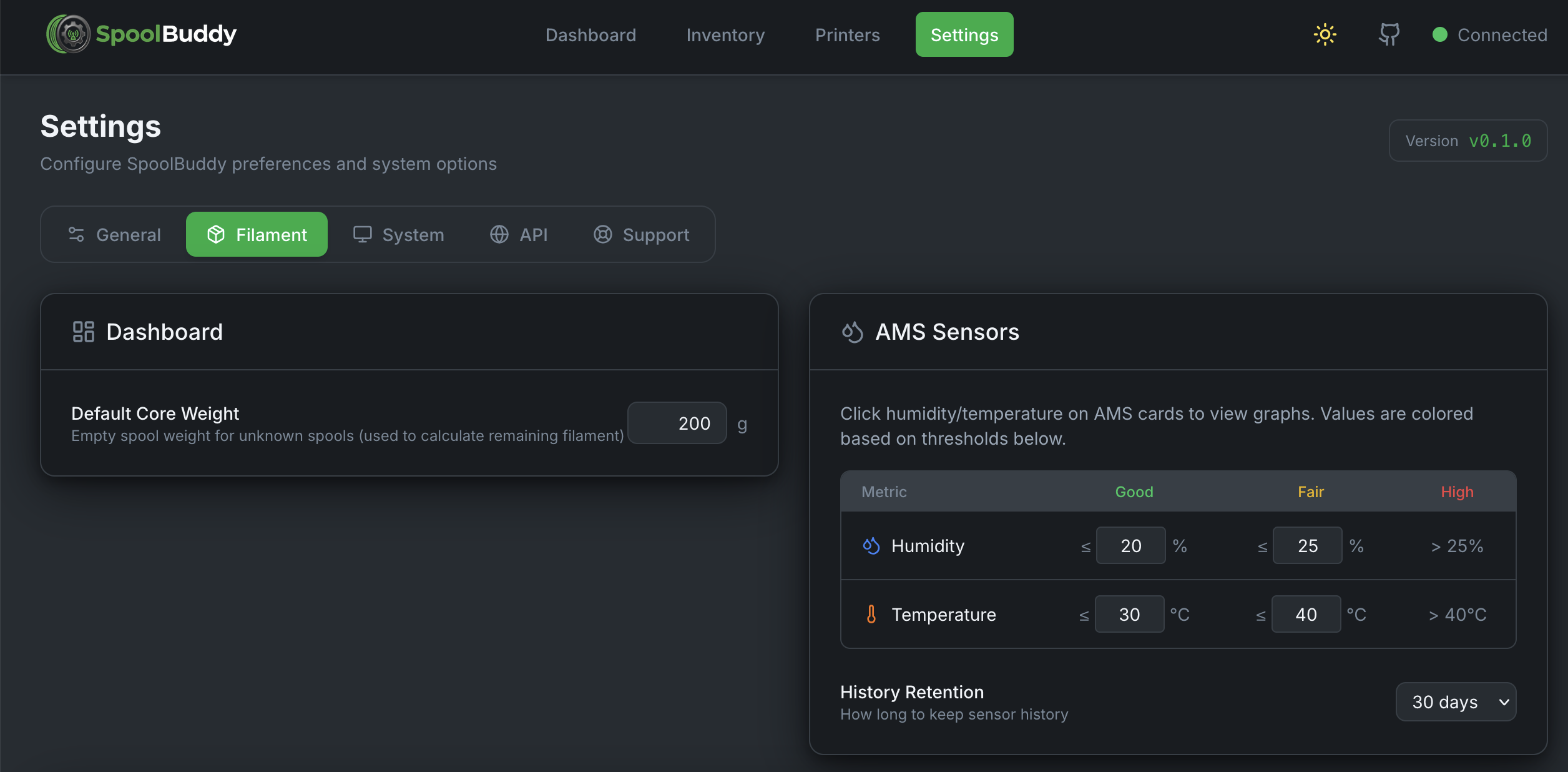
General Settings
General Settings
Filament Settings
Filament Presets
API Settings
API Keys
System Settings
System Info

Touchscreen Display

The 7" IPS touchscreen powered by ESP32 provides a dedicated interface for spool scanning and AMS configuration.

Main Display

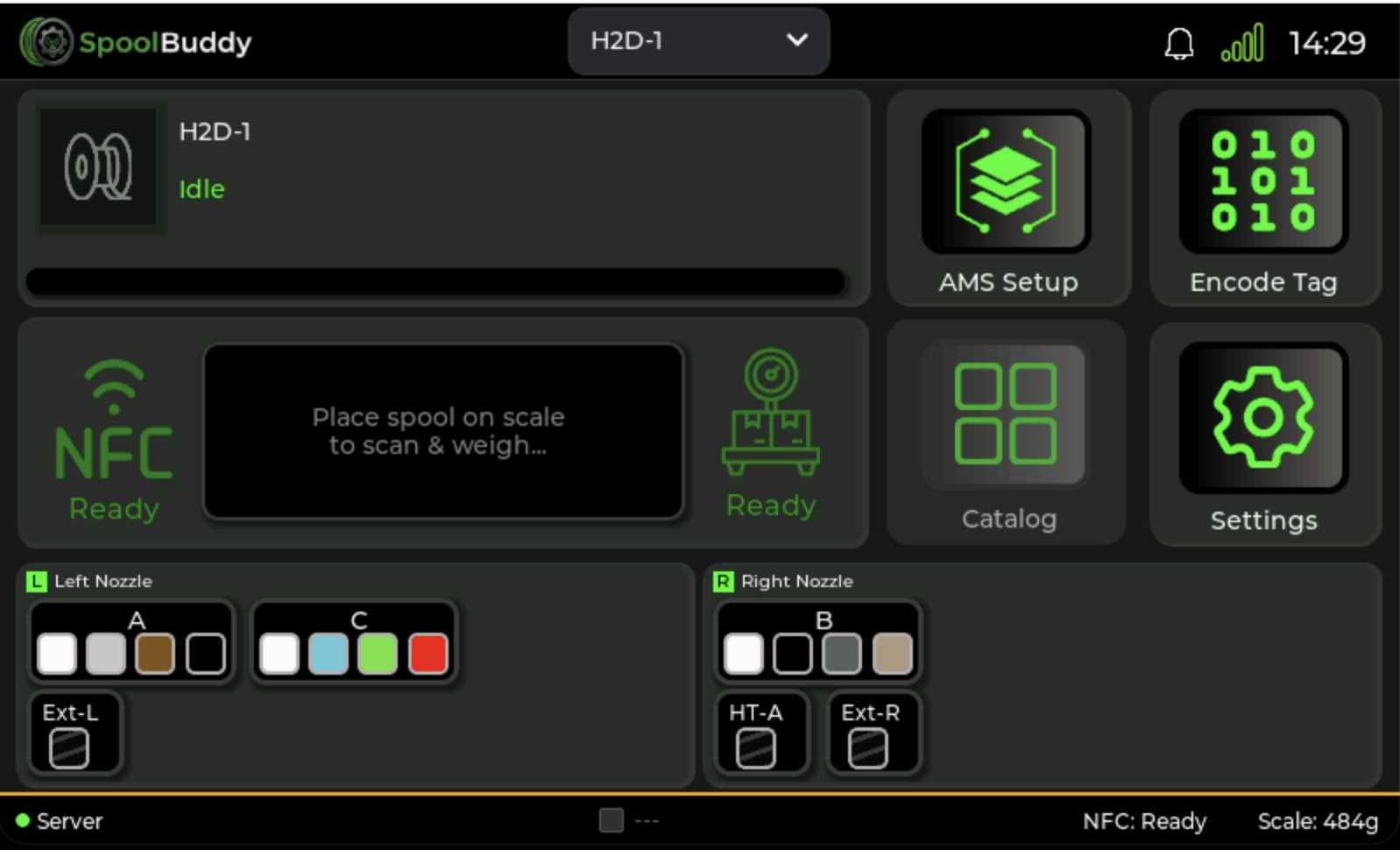
The main screen shows the currently detected spool, weight reading, and quick access to AMS overview and settings.

Display Main Screen

AMS Overview

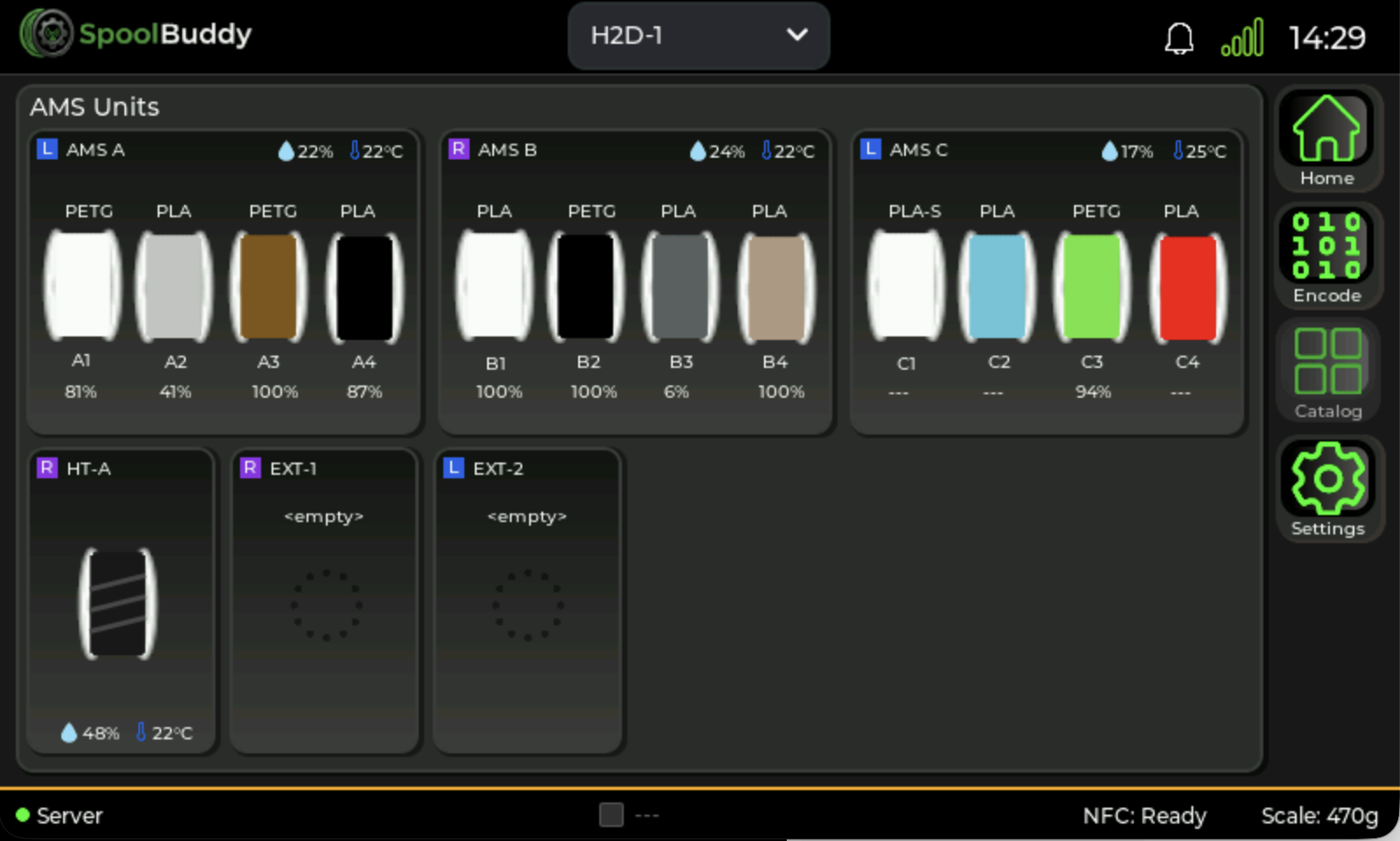
View all connected AMS units with slot status, colors, and remaining filament right from the display. Tap any slot to configure it.

Display AMS Overview

Spool Detection

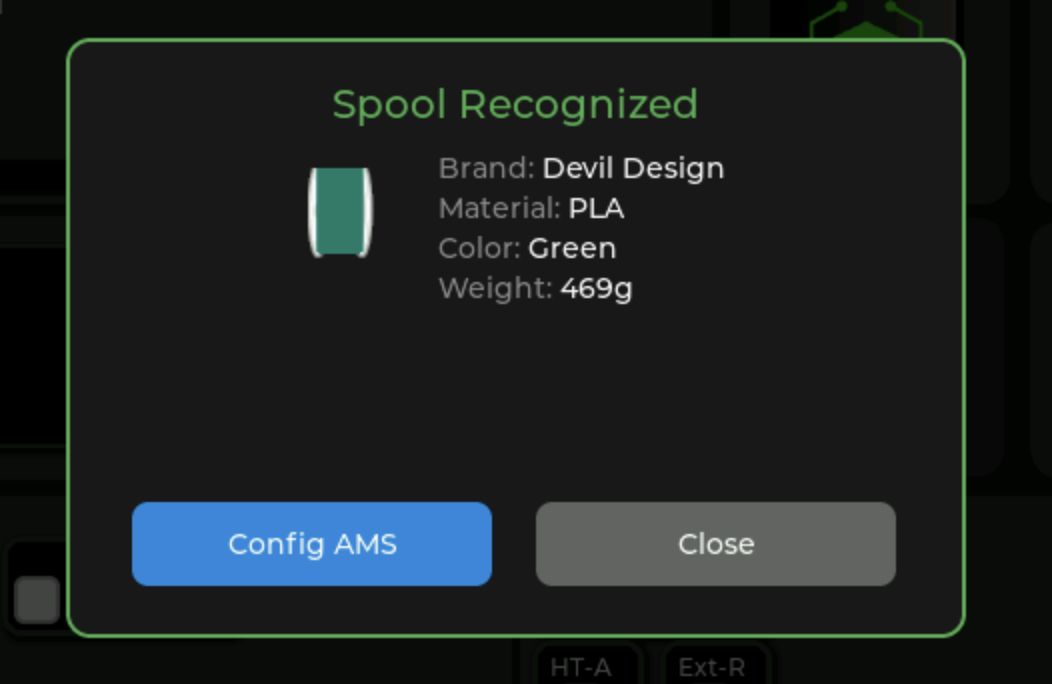
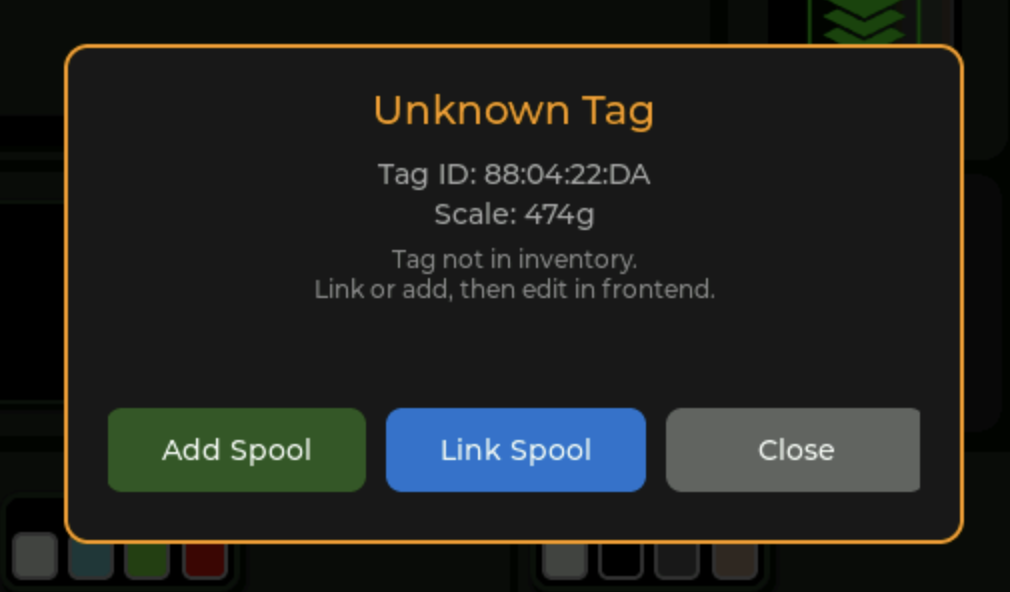
When you place a spool on the scale, the NFC reader instantly identifies it and displays spool details. Unknown spools can be registered directly from the display.

Known Spool Detected
Known Spool
Unknown Spool
Unknown Tag

Direct AMS Configuration

Configure AMS slots directly from the touchscreen without needing to access the web interface.

Configure Slot from Display

Hardware Features

NFC Reader

High-frequency RFID reader compatible with Bambu Lab tags, NTAG, and other NFC formats. Read and write support for custom spool tags.

Load Cell Scale

Precision load cell with 0.1g resolution. Auto-tare function and stable weight detection for accurate filament tracking.

7" IPS Display

800x480 capacitive touchscreen with wide viewing angles. Perfect for workshop environments with any lighting condition.

WiFi Connectivity

ESP32-S3 with built-in WiFi for seamless connection to your network and communication with the backend server.

OTA Updates

Over-the-air firmware updates ensure your device always has the latest features without manual flashing.

USB-C Power

Simple USB-C power connection. No external power adapter required - works with any USB-C power source.

Ready to Build Your Own?

Check out the documentation for build instructions, parts list, and setup guides.